Automation
The real power of TaskLite gets unlocked when it’s set up to be tightly integrated with other apps. This section contains several examples of how it can work together with other systems and services.
Folder Actions on macOS
Folder actions are a feature on macOS to execute some code when files are added to a specific directory.
This can for example be used to import all Email files (.eml)
which are saved in a directory.
Setup
-
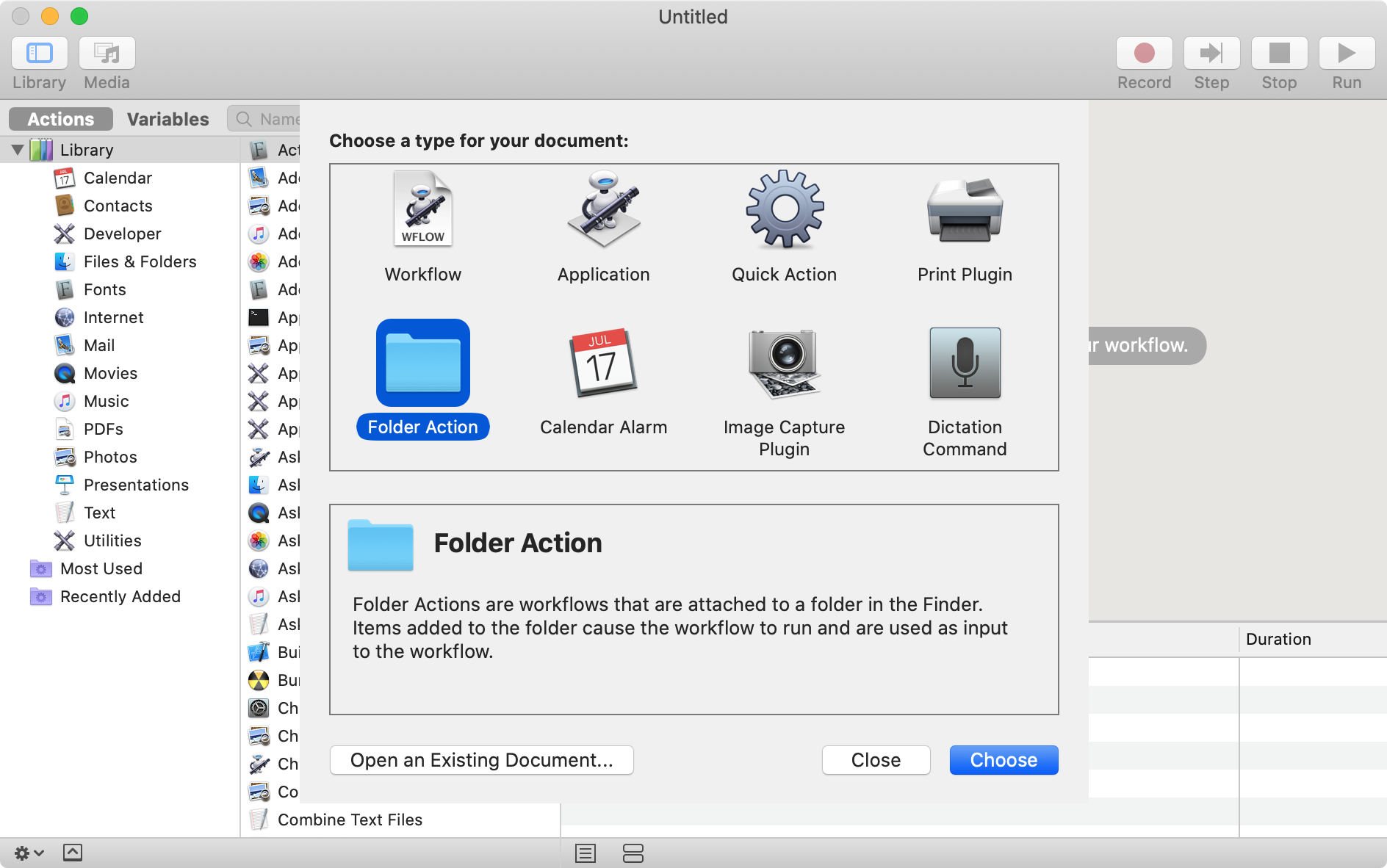
Open Automator and create a new Folder Action:
-
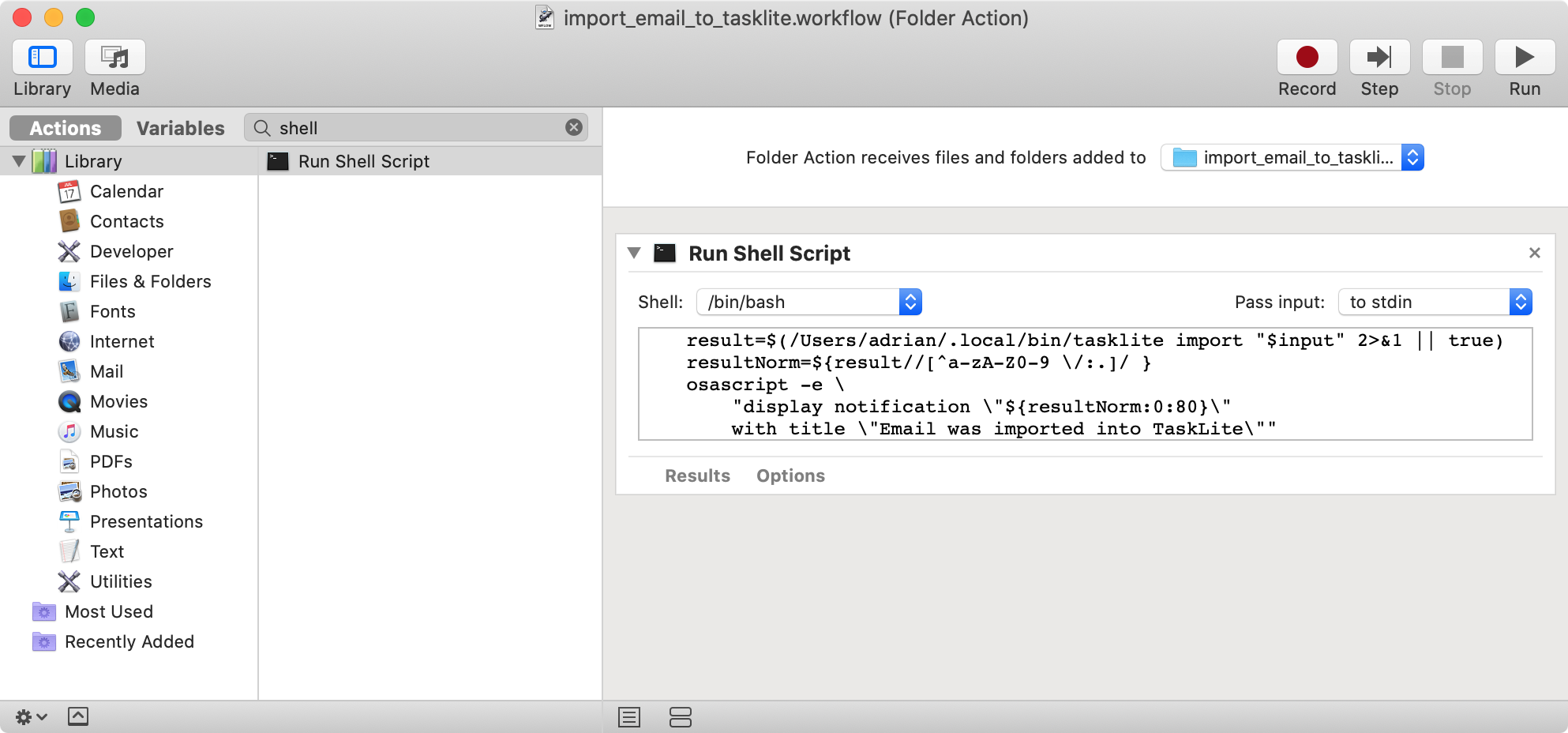
Specify the directory via the select field at the top
-
Add a “Run Shell Script” block with following bash code:
set -euo pipefail input=$(cat -) result=$(/Users/adrian/.local/bin/tasklite import "$input" 2>&1 || true) resultNorm=${result//[^a-zA-Z0-9 \/:.]/ } osascript -e \ "display notification \"${resultNorm:0:80}\" with title \"Email was imported into TaskLite\"" -
Save the folder action
Thunderbird Add-On
The TaskLite Thunderbird add-on
adds an “Add to TaskLite” entry to the context menus
of the message list and of the displayed message.
It imports each selected email like tasklite importeml.
Importing the same email twice is detected and skipped.
As the task’s ULID is derived from the email’s date,
the time of adding the email (e.g. when you read it)
is stored in the metadata field addedUtc.
“Add to TaskLite and Edit” additionally opens the task in an editor window
with syntax highlighting,
which uses the same format as tasklite edit.
Press Cmd/Ctrl + Enter to save
and Esc to cancel.
Thunderbird add-ons can’t execute programs directly.
Instead, Thunderbird starts tasklite nativehost run as a native messaging
host and sends it the raw email or the edited task.
Setup
Requires Thunderbird 140 or later on macOS or Linux.
The add-on isn’t published yet,
so it must be built from a clone of the TaskLite repository,
which requires Node.js and npm.
The nativehost command isn’t part of a release yet either,
so also install TaskLite from the repository with make install.
-
Register TaskLite as a native messaging host:
tasklite nativehost installThis writes a launcher script to TaskLite’s data directory and a manifest pointing to it into Thunderbird’s native messaging directory (
~/Library/Mozilla/NativeMessagingHosts/on macOS,~/.mozilla/native-messaging-hosts/on Linux). Run it again if thetaskliteexecutable moves. IfXDG_CONFIG_HOMEorXDG_DATA_HOMEare set, their values are stored in the launcher, so that Thunderbird uses the same database. -
Build the add-on in the repository’s root directory:
make thunderbird-addon -
In Thunderbird, open “Add-ons and Themes”, click the gear icon, select “Install Add-on From File …”, and select
tasklite-thunderbird/tasklite.xpi.
Troubleshooting
- “No such native application tasklite”:
The native messaging host isn’t registered.
Run
tasklite nativehost install. - Errors after updating TaskLite:
Run
tasklite nativehost installagain, in case the path of thetaskliteexecutable changed. - Debugging: Errors of the native messaging host are logged to Thunderbird’s error console (Cmd/Ctrl + Shift + J).